How to install a computer printer
Step1: Unbox the printer and check the instructions book and the drivers CD. Read the instructions carefully.

Step2: Fix the cartridge of the printer and switch on the printer by connecting the power cable and leave it for some time.

Step3: Now place the driver disk in the cd driver and follow the setup steps.

Step4: Connect the printer with the usb cable to the computer and power on the printer.
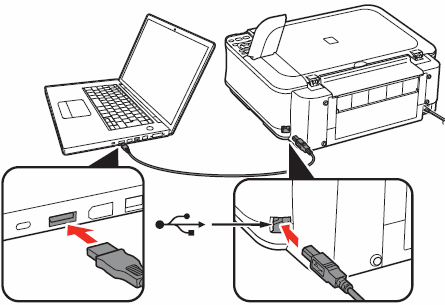
Step5: Now by going to printer setup we can print the test print.


No comments:
Post a Comment